Categories
Tech

Facebook Messenger Added French Language Support To Its Automatic Translation Feature, “M Translation”

A few weeks ago, Facebook announced that it would soon offer video advertising through the Facebook Messenger app. Indeed, the prevalent messaging application, which already allows users to enjoy many features, will soon host video advertising, which will be displayed directly in the middle of users’ conversations. More recently, the group announced the availability of an automatic translation service within the Messenger app.

“In 2018, opportunities to meet people of other nationalities are increasing all the time,” a Facebook spokesman explained. As a result, the company decided to make it even easier for Messenger users to communicate with ease by offering them an automatic translation of their messages.

When a user receives a message in another language, Messenger’s virtual assistant will ask him/her to enable machine translation, if needed. If it is activated, all future messages received on Facebook Messenger in that foreign language will be automatically translated into the user’s default language.

Facebook Messenger added French language support to its automatic translation feature

Powered by an artificial intelligence-based system and fully automated, the automatic translation feature is a handy one in Facebook Messenger.

The new translator, dubbed as “M Translation,” comes as an addition to the already-established feature known as “M Suggestions” which allows Messenger users to complete their current conversation by adding other elements to the text. Enriching your answer with a sticker, scheduling an appointment in the diary, or even wishing “happy birthday” to a friend in an original and fun way are just some of the achievements you can pull off with “M Suggestions.”

On the other hand, the automatic translation feature is already launched in the United States and Mexico since May but now Facebook decided to make it available in France, as well. Accordingly, the platform is currently offering translation from English to Spanish (and vice versa) and from English to French (and vice versa).

Categories
Tech

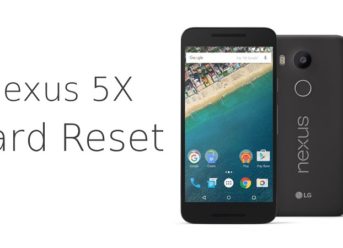
Hard Reset Your Nexus 5X and Get Rid Of Any Issues

In case your facing any issues with your Nexus 5X handset, a hard reset might save you from a lot of problems. However, this should only be done when you’ve already tried all the other solutions without success. Here’s how to hard reset your Nexus 5X.

First, you should backup all your data, including images and music files, unless they are stored on a microSD card, because a hard reset would delete anything on your phone and restores it to its factory settings.

How to hard reset your Nexus 5X if you CAN access your device

In case you can navigate on your Nexus 5X device, then the hard reset process is more straightforward. Here’s how you can do it:

  • Go to Settings;
  • Choose Backup & reset;
  • Tap Factory Data Reset;
  • In case your phone is password-protected, you’ll be asked to enter your Pattern, PIN, or Password;
  • Choose the Erase Everything option;

After that, the Nexus 5X device would restart. Pay attention that the first boot after factory settings restoration takes longer than usual, so don’t worry if your handset is turning on slower than normal.

How to hard reset your Nexus 5X if you CANNOT access your device

While the method presented above is only working when users can access their handsets, there are cases when the Nexus 5x doesn’t respond to commands or whatever. In that cases, you can hard reset your Nexus 5X by following the next steps:

  • Turn off your Nexus 5X;
  • Press and hold the Power and the Volume Down keys simultaneously for approximately 10 seconds;
  • Once the image of an Android lying on its back pops up press Volume Down twice to access the Recovery Mode screen – confirm it by tapping the Power button once;
  • When an image with an Android with a red triangle appears, press and hold the Power button and touch the Volume Up button fast;
  • Then, the Android System Recovery screen should pop up;
  • Choose “wipe data/factory reset” using Volume keys and confirm with Power button;
  • Confirm the wipe “data/factory reset” in the next screen and select “reboot now”;

That is how to hard reset your Nexus 5X device if you cannot access your device for any reason.

Categories
Tech

Android 9 Pie Rolled Out On Nexus 5X and Nexus 6 Via Custom ROMs

Google is supporting its devices for only two years, so some older handsets can’t get updated to newer Android releases. Fortunately, the developers were quick to come up with solutions, and now Android 9 Pie rolled out on Nexus 5X and Nexus 6 thanks to custom ROMs.

According to XDA-Developers, the renowned community of devs for Android devices, a few skillful developers managed to come up with Android 9 Pie for some older Nexus devices. What’s indeed interesting is that they developed custom ROMs for the latest Google OS within a few weeks after it emerged on the market officially.

“Nexus PieX” is the Android 9 Pie custom ROM for Nexus 5X

Developed by a dev that goes by the name of “argraur,” Nexus PieX is the Android 9 Pie custom ROM that brings the latest Google OS installment on the LG Nexus 5X.

In general terms, Nexus PieX works smoothly and has all the functions of the Android 9 Pie, excepting for SafetyNet and VoLTE which are the only features that are broken at the moment.

Android 9 Pie comes to Nexus 6 via CarbonBeta ROM

A developer by the name of Myself5 joined forces with the CarbonROM team and release CarbonBeta ROM that brings Android 9 Pie to Nexus 6.

While the ROM works nicely, there are two very annoying issues. On the one hand, the mobile data connection is a bit faulty but works alright for most of the time, while, on the other hand, the encryption features is entirely broken.

If you can live with these issues, then you’d definitely enjoy this custom ROM that updates Google Nexus 6 to the latest OS released by Google, Android 9 Pie.

In conclusion, while Google shut down support for its older devices and you can’t anymore update them to latest releases, now, Android 9 Pie comes to Nexus 5X and Nexus 6 via custom ROMs.

Categories
Games News

Red Dead Redemption 2 Release Date And New Gameplay Details

The second title of the Rockstar’s Red Dead Redemption classic western video game series, Red Dead Redemption 2 is a prequel set 12 years before the events in the original release. Set in an open-world environment in the American wilderness, Red Dead Redemption 2 will follow the story of Dutch Van der Linde and his gang which has a young John Marston as one of its members.

Surprisingly, even though the game is just around the corner, it was not a part of the E3 2018, but, still, Rockstar released several trailers, new gameplay details, that besides the rumors that emerged on the Internet lately.

Red Dead Redemption 2 release date

Red Dead Redemption 2 will launch on October 26th, 2018, for PS4 and Xbox One. For collectors, Rockstar will also release a premium package known as the Special Edition, priced at $80, and comes with a copy of the game with some extra special missions, new weapons, and a physical map of the game’s world for gamers to own.

Also, there will be an Ultimate Edition and a Collector’s Box, both priced at $100. The Ultimate Edition contains all the items found in the Special Edition, plus additional DLC items. On the other hand, the Collector’s Box doesn’t provide any digital items but will come out with a unique playing cards deck, artwork, a bandit’s bandana, a physical map of the game world, and a collector’s coin.

Red Dead Redemption 2 – Gameplay

Set in the America of 1899, Red Dead Redemption 2 is a classic western shooter set 12 years before the events in the first title of the franchise. Rockstar revealed the first detailed gameplay trailer for Red Dead Redemption 2 on August 9th when we could see that the core mechanics from the first title were still in place, but everything else was revamped.

Accordingly, wildlife is now smarter living within its ecosystem, and the character can interact with other people more naturally, something that was impossible in the first title of the game.

Although Rockstar did not share any detail on the multiplayer gameplay, the first Red Dead Redemption came out with an online free-for-all mode, along with a team deathmatch style gameplay in the open world, so some rumors say the follow-up game, Red Dead Redemption 2, would contain all of those plus a new Battle Royale game mode.

Categories
Crypto News

Dash (DASH) Blockchain’s Blocks Exceeding 890 Kb Are Not Profitable for DASH Mining

Researchers at the University of Arizona published a study called Block Propagation applied to the Nakamoto network. The authors of that research recommend a maximum increase in block size to 5 MB, with a capacity to use of 890 kB per block, to keep transaction commissions at 0.01 DASH per MB and to make mining profitable under the current Dash (DASH) blockchain. The study used a simulator initially intended for Bitcoin (BTC), Litecoin (LTC) and Dogecoin (DOGE).

This simulator was modified to assume larger blocks and be able to analyze the scalability of the Dash (DASH) network. Additionally, it was established that the systems should have a minimum of 6,000 nodes in each simulation. The study lasted long enough for a minimum of 700 blocks to be executed, the researchers said.

For the study, the authors assumed that miners extract blocks of similar sizes. The research effort focused on three block propagation protocols, namely, a traditional block propagation in which the block is fully transmitted, one in which a compact block propagation called Cor16 is made, and an extra thin block propagation called “xthin.”

Blocks with a used capacity of more than 890 kB would not be profitable for Dash (DASH) mining

“With traditional block propagation, we recommend that the code limit on block size should not be greater than 5 MB and that you should not expect a capacity throughput much greater than 890 kB per block. It should be noted that users who include a higher rate can make blocks over 890 kB profitable for mining,” said Dragan Boscovic, Nakul Chawla, and Darren Tapp, researchers at the Blockchain Laboratory at the University of Arizona.

To reach this conclusion, the researchers assumed that all transactions would be 0.01 Dash (DASH) per MB with a mining reward of 1.67 DASH.

Among other conclusions of the study, the researchers state that the maximum block sizes of Dash (DAS) could reach 6 MB and even 8 MB using the compact block propagation method. With the “xthin” block propagation method, blocks could reach a size of up to 10 MB. The authors suggest that the network could go beyond 10 MB.

Exit mobile version