Categories
News Tech

Try Snaptube for Streaming Videos for Free and Unlimited

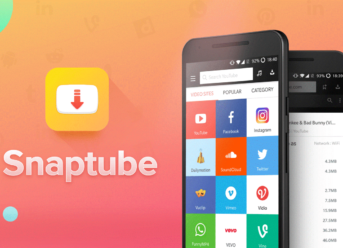
Just recently, Snaptube, the flagship app of Mobiuspace, was released in a brand new version. This latest iteration will allow users to download content of high quality in a free and unlimited way. Granted, the app has been around for quite a while now, this release is the company’s way of gaining more users through its featured updates.

There are already millions of people all over the world who use the app, and its popularity is expected to be boosted even more by these new features. The most recent version of Snaptube allows users to search easier and download their videos, regardless of their kind. At a distance of just one click, users are now able to switch back and forth between various platforms while searching for their choice of content.

That’s the best part of this app, the fact that it was capable of integrating multiple platforms together, thus enabling its users to look for what they want without having to use multiple apps. Snaptube is an app which is available for free and you don’t have to worry about it charging you extra in order to provide its services of high end. If you are using an Android device, then you can download it now and start looking for your favorite content.

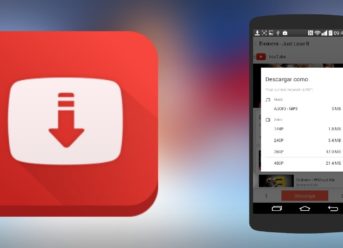
If you choose, you can even download them at the resolution you feel most comfortable with. Even if the app already comes with an extended list of platforms, you can even add a platform of your own choosing, if you are so inclined. The app is capable of supporting downloads at high quality, it comes with a video player that loads quickly and if you just wish to listen to your favorite artist, then you can use its built-in music player.

Henry Lares is still early into his career as tech reporter but has already had his work published in many major publications including Tech Crunch and the Huffington Post.  In regards to academics, Henry earned an engineering degree from Apex Technical School. Henry has a passion for emerging technology and covers upcoming products and breakthroughs in science and tech.
Categories
News Tech

Microsoft Surface Laptop 2 and Surface Pro 6 Release Date And New Leaks

On October 2nd, in New York City at 4:00 PM ET, is going to be a reveal event, host by Microsoft. The company was not so careful with the privacy information, as a German site WinFuture pretends to know that none of the devices, Surface Laptop 2 or Surface Pro 6, are refreshed or include a USB-C port. Both the Surface Book 2 and Surface Go devices have USB-C so the idea of not improving the pilot version with the same connector is a questionable choice.

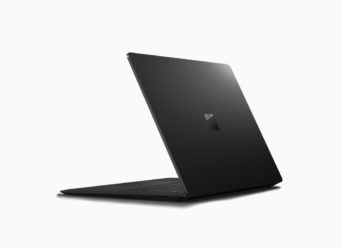
If the leaked photo of the Surface Laptop 2 is authentic it is noticeable that the overall design is still the same compared to the one released last year. It is said that Microsoft is releasing both new devices only on black variant; to replace the Graphite Gold variant but it will come at higher price. Most of the changes in the Surface Laptop 2 are meant to be internal. WinFuture leaks more information about the base model of the new Surface Laptop 2 that will come with 8GB of RAM, an Intel Core i5 processor, and 128GB of SSD storage while the Surface Pro 6 will reportedly ship with a base model that includes 4GB of RAM and an Intel Core m3 processor. There should be a gigabit Wi-Fi networking chip and Bluetooth 4.2 wireless connectivity.

As the picture shows, Microsoft has no intention of changing the main features: limited set of I/O ports on the Surface Laptop 2: USB 3.0 Type-A, Mini DisplayPort, 3.5mm headset jack, and a Surface Connect port and there is more likely of using the same 13.5-inch PixelSense touchscreen.

So don`t forget about the Microsoft’s Surface hardware event on Tuesday which you can watch it live on The Verge.

Henry Lares is still early into his career as tech reporter but has already had his work published in many major publications including Tech Crunch and the Huffington Post.  In regards to academics, Henry earned an engineering degree from Apex Technical School. Henry has a passion for emerging technology and covers upcoming products and breakthroughs in science and tech.

Categories
News Tech

Stream Videos for Free with a New Snaptube Update

A new version of Snaptube has just been launched by Mobiuspace, significantly improving the accessibility of the app. The most recent version is even more user-friendly, as we can search for any type of video and switch from one platform to another with just one click.

The most important feature of Snaptube is definitely the huge number of various video and music sharing platforms, thanks to which we can enjoy our favorite content without installing many apps dedicated to just one platform.

What makes Snaptube one of the most popular streaming apps is the fact that downloading and using it is free of charge. You can install this app on your Android device, search for your favorite videos and download them in any resolution (including 4K) completely for free.

The most important features of Snaptube

  • The creators of this app have managed to gather some of the most popular video streaming platforms in one place, which allows users to open any video without the need to download multiple apps.
  • This app allows its users to watch videos while using other apps thanks to the picture-in-picture mode.
  • Snaptube has an inbuilt audio/video player, allowing its users to listen to music and watch videos using this app.
  • There is no limit for downloading any files in high quality.
  • Snaptube’s downloader allows its users to select both the resolution and the size of the video.
  • This app allows video streaming in HD, which combined with its rapid video player guarantees uninterrupted streaming of the highest quality content.
  • Its interface is very intuitive and user-friendly.
  • In addition to multiple platforms that are already listed in Snaptube, every user can add a new platform. It also has an option to remove a platform from the list.

In order to take advantage of all these features, all we need to do is to simply visit the official website of the app and download it for free.

Henry Lares is still early into his career as tech reporter but has already had his work published in many major publications including Tech Crunch and the Huffington Post.  In regards to academics, Henry earned an engineering degree from Apex Technical School. Henry has a passion for emerging technology and covers upcoming products and breakthroughs in science and tech.

Categories
Tech

Five Tricks To Boost Your Android One Device Experience

Android One is the special edition of Google’s operating system that is designed explicitly to low- and mid-range smartphones. It comes with Android Stock, support for updates and offers a better fluidity. While this version of Android does not have very advanced settings, it has many exciting features. Here are five tricks to boost your experience with any Android One device.

Open your camera without turning your device’s screen on

If you want to take a quick photo, you can choose to do that without having to turn on the screen of the handset, unlock it and go to the camera app. Just press the power button twice, and the camera application should activate. This option doesn’t unlock the smartphone, and to return to the lock screen press the power button twice, again.

Enhance the audio of your Android One device

If you want to improve your Android One device’s sound slightly, there is an exciting option in the accessibility settings. Go to “Settings” and “Accessibility,” slide to the “Audio and Text-On-Screen” section and activate “Audio in Mono.” This function will combine the channels when playing back multimedia files.

Use the File Explorer

If you want to control your images, applications and other files in a practical way, an Android One device has a straightforward but practical File Explorer app. It might also be dubbed as “Files.” However, in case your smartphone has no such app, you can access your files and documents from “Settings” -> “Storage”.

Remove Google Now from your Home screen

If you’re not using Google Now and don’t want it to appear on your Home screen, there’s an easy way to turn it off. On the home page, hold down until the controls open. Click on the settings page and deactivate Google Now. By doing so, you might also enhance your Android One device performance.

Use the Android One split screen feature

Android One supports split screen, meaning that you can use two apps on the same screen. To do that, open the drawer of recent apps, select the one you want and slide it to the top. Now, open the other app in the carousel, and it will automatically add to the split screen.

Categories
Tech

Huawei Y9 2019: Design, Performance, and Release Date

The Chinese manufacturer Huawei has a great variety of mobile devices that are classified depending on the sector to which they are destined. The Huawei Y9 2019 is the newly announced handset, a phone with features that put it in the spotlight for users who want a beautiful, functional, and affordable handset.

The upcoming Huawei Y9 2019 is the updated version of the Y series that was well-received by customers because it offered a whole bunch of feature, along with acceptable performance, at affordable prices. Now, the new Huawei Y9 2019 would come out with four cameras, two on the back and two selfies sensors, 6.5-inch display, and many other improvements in comparison to its predecessors.

Huawei Y9 2019 – Design

Huawei Y9 2019 is a nice-looking terminal even though it keeps the current design lines of the latest models in the Y series, meaning that it will boast a high screen-to-body-ratio with thin frames and a notch. On the back, the device has two main cameras and the fingerprint reader. The upcoming handset’s back cover is made of glass, while the rest of the device is metallic.

Although many users started to hate the notch, the screen of this Huawei Y9 2019 model may please even those people. We are talking about a 6.5-inch display with FullHD+ resolution and a 19.5:9 format, plus 2.5D finishes.

The Huawei Y9 2019 would come out bright color schemes.

Huawei Y9 2019 – Performance and release date

Huawei Y9 2019 boasts a Kirin 710 processor manufactured in 12-nanometer technology, backed up by either 4 or 6 Gb of RAM and 64GB or 128 Gb of internal storage, depending on the version we choose.

Also, the upcoming device packs a 4,000-mAh battery which is powerful enough to help you enjoy your handset all day long. Additionally, Huawei Y9 2019 would be powered by Android 8.1 Oreo personalized by Huawei with its proprietary EMUI 8.2.

The upcoming smartphone would hit the shelves this month, but Huawei did not disclose an exact Huawei Y9 2019 release date.

Exit mobile version