Categories
News Tech

iOS 12.1 Jailbreak Users Update – What’s There To Know

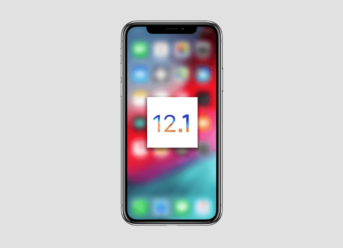
A new iOS update has been recently released by Apple, adding a host of new features. The jailbreak community is torn apart by this, as some users want to upgrade right now while others claim that they should wait for a possible iOS 12.1 jailbreak.

When a new update is released the average user will immediately install it in order to make the most out of the new features. The jailbreak community always thinks twice when it comes to updates since they love to play with their devices. The lack of a viable jailbreak update means that they will be forced to abandon their beloved jailbreak functions in order to enjoy the latest improvements brought by official updates.

Should they update now?

If you want to jailbreak your device or use a jailbroken device the answer is clearly no. There is no jailbreak alternative for iOS 12.1 and downgrading is impossible. It seems that iOS 12 is quite hard to jailbreak as the last stable jailbreak version stopped at iOS 11.2 or the iOS 11.4 beta (between branches 1 and 3).

There are signs that a jailbreak version of iOS 12 could appear in the future but no words on a definite release date. Apple increased the security of the iOS environment and it took modders months to even find vulnerabilities. Now the real work starts as they will have to crack the software.

Apple has made it clear that jailbreaking is not desirable and it seems that additional resources was used in order to make iOS 12 harder to breach. Several modders are working on a viable jailbreak version but each iOS update further complicates the task. While some have claimed that they have managed to jailbreak iOS 12 they didn’t offer any proof.

It remains to be seen if a stable release will come in the following months and what will Apple do in order to block future jailbreak attempts. Until then keep your device on iOS 11 and check out Electra if you want to make the jump to freedom.

Henry Lares is still early into his career as tech reporter but has already had his work published in many major publications including Tech Crunch and the Huffington Post.  In regards to academics, Henry earned an engineering degree from Apex Technical School. Henry has a passion for emerging technology and covers upcoming products and breakthroughs in science and tech.

Categories
Tech

Google Partnered With iRobot To Map Houses For Improving Their Smart Devices’ Behavior

One of Google’s greatest successes has been its mapping system, which has led to applications such as Google Maps, Google Street View or Google Earth. With time we have gone from only having images and maps of the main roads and cities of the world to being able to see even inside some locations as we can also enter into buildings open to the public, such as shopping malls, airports, and car parks. And little by little the scale went down, and we can now visit shops, bookstores, cafes, and so on. Google wants to scan and map as much as it could. But there was one place it hadn’t tried to get into until now – your home. But now, however, Google allies with iRobot to map houses.

The company led by Sundar Pichai, Google, has stated along with iRobot, the company that manufactures the famous Roomba vacuum cleaners, to share the data that these devices collect in users’ homes through their sensors and cameras. One of the latest models of this manufacturer, the Rumba i7 Plus, can scan the house by the distance it travels and a low-resolution camera. That allows it to establish cleaning routines for each of the rooms on the house.

Google teams up with iRobot to map houses

With this new partnership, Google will be able to access the planimetry data, that is to say, in 2D, but it is not interested in using the images of the iRobot products’ cameras or the volume generated by the vacuum cleaners. According to the two companies, the reason why Google is interested in these data is to improve the behavior of their devices, such as Google Home.

Through the information obtained by Google from the iRobot’s vacuum cleaners, the company can recommend the best place to put a loudspeaker, automatically set up the smart light systems when we install them and promote future uses that may be generated in the smart homes of the future. However, both Google and iRobot have made it clear that they will not use the data for malicious purposes.

Categories
Tech

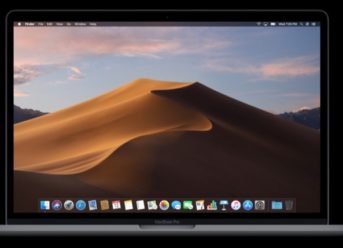
New MacBook Pro Models to Incorporate AMD Radeon Vega 16 and Vega 20 Graphics Cards

During its last event of 2018, where it presented the new MacBook Air, Mac mini, as well as the iPad Pro 2018 model, Apple also unveiled the new graphics configurations for the 15-inch MacBook Pro. For the first time in a long time, Apple incorporates an AMD graphics cards, more specifically the Radeon Pro Vega 16 and Vega 20.

The new 15-inch MacBook Pro variants with Radeon Pro Vega 16 and Pro Vega 20 graphics cards would come out somewhen in November. These new graphics configurations for the Apple MacBook Pro boast considerable improvements in performance, in comparison with the current versions. According to the benchmark tests, the new graphics cards offer a 60% increase in speed, if we were to compare them with the current Radeon Pro 560X, that we find in the top-end configurations.

As reported by AMD, the Vega 16 and Vega 20 are just the “starting units of the next generation of Vega graphics cards.” They both boast the Rapid Packed Math feature which speeds up the GPU, accelerating the processes and implying a lower resources consumption.

New MacBook Pro models to incorporate AMD Radeon Vega 16 and Vega 20 graphics cards

The second feature that gives us more speed, is the HBM2 memory. The performance is higher than the previous GDDR5, which we find in other more common graphics cards. The gain is produced by having more bandwidth compared to their predecessors. But at the same time, it consumes less energy. Finally, HBM2 is housed within the GPU and, therefore, takes up less space.

According to some rumors, the Vega 20 will boast the first GPU to run on 7-nanometer technology in the world. On the other hand, the desktop version of the Vega 20 will come with either 16GB to 32GB of HBM2 but requires between 150 and 300 watts, so it is unlikely that we will see this model running on a laptop.

Also, as rumored, the new version of MacBook Pro would come out on November 14th.

Categories
Tech

Locker For WhatsApp App Allows Users To Protect WhatsApp Chats With a Password or Fingerprint

None of us are safe when using an instant messaging app. Of course, WhatsApp is the world’s leading instant messaging app on Android, iOS, and PC, as well, via WhatsApp Web service, and more and more users are wondering how can they protect specific chats with a password to increase their privacy. Locker For WhatsApp is the ideal solution to protect WhatsApp chats with a password or fingerprint.

The Locker For WhatsApp app is available for free on the Google Play Store and is a safe application to install.

The first thing the application will ask you to do is to grant permissions. That is the fundamental step we must take to be able to use a fingerprint or password protection of specific WhatsApp chats. Once granted, it is not necessary to establish a new fingerprint because the application uses automatically the one we have configured on the phone if you have one previously set up.

Locker For WhatsApp allows users to protect WhatsApp chats with a password or fingerprint

Once you have granted Locker For WhatsApp with all the required access permissions, you only have to go to the Locker For WhatsApp’s home screen and tap on the (+) symbol to add contacts or groups. We can add as many chats as we want to protect them with password or fingerprint. But, to use the system, you must first establish a 4-digit PIN to be the only one who can access the app.

Once these steps are completed, whenever you access WhatsApp, the WhatsApp chats and groups chosen within Locker For WhatsApp will be inaccessible even by the instant messaging app itself unless you enter the same PIN configured in the previous step or check your fingerprint.

If you want to remove the protection of any conversation, go back to Locker For WhatsApp and tap on the “Select” menu in the top right corner. Choose all the WhatsApp chats or groups and remove the password or fingerprint verification on them.

Categories
News Tech

Stellar Photo Recovery Is The Best Way To Recover & Repair Lost Photo And Video Files

Have you lost photos, videos, or even audio files? Then you should know that there is a straightforward software, Stellar Photo Recovery, that might help you recover photo and video files you’ve lost after episodes of accidental deletion or storage device corruption, without compromising the quality of the documents. We tested this tool, and we’re now ready to share with you why we believe that Stellar Photo Recovery is the best way to get back or repair lost or corrupt photos and videos.

Stellar Photo Recovery is only one program but with dozens of useful features

Stellar Photo Recovery tool is straightforward to use for every person in the world, so you don’t have to be a tech-savvy to get the advantage of all the program’s features. Stellar Photo Recovery helps you retrieve deleted, lost or corrupt photos and videos you stored on hard drives, camera cards, memory cards, SDDs, and so on. It’s virtually compatible with any storage device in the world.

Stellar Photo Recovery comes with the following features:

  • Recovers both deleted or corrupted multimedia files;
  • Repairs corrupted photo and video files in just a couple of mouse-clicks;
  • Creates hard drive backup images;

Additionally, the new Stellar Photo Recovery version 9 also brings some new functions, including:

  • Improved GUI;
  • CD/DVD recovery mode;
  • Multi-language support;

Stellar Photo Recovery is the best do-it-yourself photo and video files recovery software

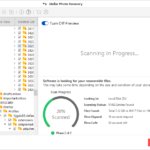
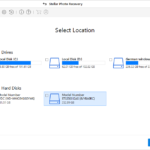
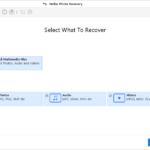
As we’ve mentioned, we had the opportunity to test the program, and we believe it’s the best recovery software. It comes with a very user-friendly interface that presents a drop-down menu on the left where you can browse your computer or the connected storage devices.

Once you have located a specific folder from which you want to recover deleted, lost or corrupt photo and video files, you can make Stellar Photo Recovery search for any recoverable files within that respective folder. When the software finishes the search, it will display all the files that can be recovered so you can commence the process that would help you retrieve photos or videos, as well as audio documents or another type of files.

As simple as that, Stellar Photo Recovery will recover your files for you.

Stellar Photo Recovery comes in different versions depending on your needs

The Standard version is dedicated for regular users who only need to recover lost or deleted photo, audio, and, video files. It’s also the cheapest one at just $39.99 for a 1-year license.

Also, the recommended version would be the Stellar Photo Recovery Premium variant which offers all the features we’ve already presented you above. With the Premium version, you can also repair corrupt photos and videos, as well, that besides recovering photo and video files.

This Stellar Photo Recovery Premium version comes at $69.99 for a 1-year license.

Regardless of which version you choose, you’ll have a 30-day money back guarantee plus access to 24/5 customer care support. The software is available in both Windows and Mac. You can download the Mac version from here.

Stellar Photo Recovery – Minimum requirements

  • Processor – Intel / Intel Core i3
  • RAM – 1 GB / 2 GB recommended
  • Hard Disk – 100 MB of free space
  • OS – Windows 10, 8, 7, Vista, XP or Mac OS Mojave 10.14 & its legacy versions for Apple computers
  • Languages – English, French, German, Italian, Spanish

Conclusions

With dozens of features, a very user-friendly interface, and lots of happy customers worldwide, Stellar Photo Recovery is the best software for recovering deleted, lost, or corrupted photo and video files from any storage devices such as hard drives, SDDs, memory cards, or camera cards.

Also, Stellar Photo Recovery scores 4.8 stars out of 5, on average, on trustworthy platforms such as Google or Trusted Pilot. Additionally, the software enjoys a vast database of happy customers.

In conclusion, Stellar Photo recovery is by far the best do-it-yourself photo and video files recovery software, undoubtedly.

Henry Lares is still early into his career as tech reporter but has already had his work published in many major publications including Tech Crunch and the Huffington Post.  In regards to academics, Henry earned an engineering degree from Apex Technical School. Henry has a passion for emerging technology and covers upcoming products and breakthroughs in science and tech.
Exit mobile version