Categories
News Tech

Electra iOS 11.3.1 Download Direct to Public Release – Confirmed by CoolStar

Ian Beer discovered a kernel exploit in Apple’s iOS 11.3.1 and the security analyst decided to unveil it to the entire jailbreaking community. Seeing this, CoolStar didn’t waste any time and started working on an Electra iOS 11.3.1 jailbreak tool and the hacker has already been able to crack the operating system. However, there are still some issues that CoolStar needs to fix before releasing the tool.

Electra iOS 11.3.1 Jailbreak

A couple of days ago CoolStar announced that he managed to create a successful Electra iOS 11.3.1 jailbreak tool. Not just that, but CoolStar posted a couple of screenshots of an iPhone 8 which was running on the said operating system and this got jailbreak fans excited. On the downside of things, CoolStar said that he still needed a couple of more days before he could launch the tool.

Fixing Bugs

Even though CoolStar’s Electra iOS 11.3.1 jailbreak was successful in installing Cydia, there were still some bugs that he needed to fix. CoolStar said that he doesn’t want to launch an incomplete jailbreak tool and that removing bugs was the next thing to do. However, this isn’t the only thing that CoolStar announced.

Direct Public Release

While jailbreak fans might be upset with the fact that CoolStar is taking his time with the highly anticipated Electra iOS 11.3.1 jailbreak, the hacker said that he will launch the tool directly to public release. Therefore, there will not be a public beta or developer build and jailbreak fans will be able to install it right from the start.

We should also mention that CoolStar is advising iPhone owners to install iOS 11.1.2 on their smartphones in order to be ready for when the Electra iOS 11.3.1 comes out. Nonetheless, we will keep readers updated about CoolStar’s latest announcements.

Categories
News Tech

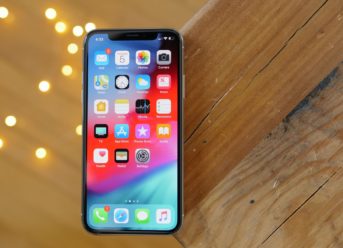
iOS 12 beta 2 Beta Update Available – Comes with Calling Issues

iOS 12 beta 2 has a very serious problem with phone calls on iPhone, and if you want to install it, you should know how important it is.

iOS 12 beta 2 was released yesterday by Apple, but unfortunately it comes with a very serious problem for users who installed the update on iPhone phones. Today we’ve noticed that some phone calls received on iPhone with iOS 12 beta 2 do not appear when the phone rings, so you have no way to know who is calling you or how to accept the call. iOS 12 beta 2 has a very serious problem with the phone call system, and the only solution to find out who’s calling you is to reject the call you are receiving.

At that time the lock screen is displayed if the phone is locked, a missed call and the person name, or the phone number from which it comes, but accepting the call is impossible.

We are not the only one affected by this iOS 12 beta 2 issue, and it does not happen all the time, so you will not have the problem with just every call you’ve received. Making things even worse, if you sync the call list to iOS 12 beta 2 on multiple devices, you will notice that some of the entries are listed with the called party’s phone number, not the contact name.

iOS 12 beta 2 is not the first version of an iOS beta that has such issues with phone calls, and it certainly will not be the last, unfortunately. It is expected that iOS 12 will have such problems in beta, and anyone who installs it needs to take that into account, so you should know what to expect if you install it.

Categories
News Tech

Google Maps: Make the Most out of It with These Next Tips

Google Maps is known as the most popular navigation software. Everyone has heard of it, and it’s understandable, since it reached its 1 billion active users.

It’s a great idea to save your home and work address, as you can quickly get to it while in app. In order to do this, you need to open Google Maps and press on the menu button (the three vertical lines from the top-left corner). From there, get on your places – there you’ll see entries for Work and Home. Now all you have to do it put your addresses there. You can always ask Google Maps to navigate to Work or Home, rather than continually adding the address. Also, if you search for “restaurants near work”, you’ll find the closest ones to your work.

The Google Maps Navigation feature comes with a voice assistant and turn-by-turn directions. However, there’s a shortcut you can get. Search for a place or just touch it on the map and then proceed to hold the blue “Directions” button, that’s placed on the bottom right – now Google Maps will give you the best route and put you right into the Navigation Mode. However, if you need to change the mode of transport, you can just tap it once, choose the mode of transportation that you want, then tap on Start.

You can also share a location, just by tapping and holding on any area to drop a pin. At the bottom of the screen you have the address, which you should tap to expand, then you should tap on Share. A pop-up list of apps will make its appearance and you can choose from that list on which app you want to share your location. If that person cannot find your location, a photo of the building can always help.

Categories
News Tech

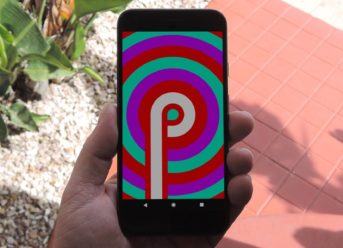
Everything We Know so Far About the Brand New Android P (Android Popsicle)

There are three pillar stones that are coming together with the Android P operating system, and that is it’s ease to use, intelligence and digital wellbeing. The second beta of this new operating system is accessible at this point. The final Android 9.0 release will happen in August.

Android Popsicle, as it might, in the end, be called, makes many enhancements, yet probably the most vital were talked about at the Google I/O 2018 keynote on the 8th of May.

The adaptive battery uses machines to figure out which applications you utilize and when, waking them just when they are probably going to be required and in an energy-efficient manner.

The adaptive brightness thinks about the individual preferences, give the ambient lighting according to, and at that point deals with those changes for you in the background.

App actions builds on the App Predictions highlight by additionally prescribing the activities you are probably going to take straight away.

Slices allow some portion of the application UI to be carried directly into the Google list items, enabling you to, for instance, arrange a Lyft without opening the application. The early access for this starts in June.

The new navigation system comes with a single home button, that you swipe up to see the predicted applications, and up again to see all the apps. Slide to the side to see the opened apps.

It also has smart text selection on Overview, simplified volume controls and a rotation button, which appears on navigation bar as you turn on the gadget.

Digital wellbeing

Android Dashboard aims to enable you to comprehend your habits and advance meaningful engagement. Shows you, for instance, how frequently you opened your telephone, what number of warnings you got, and what amount of applications you utilized. Likewise gives you controls for how and when you invest energy in your telephone.

Categories
News Tech

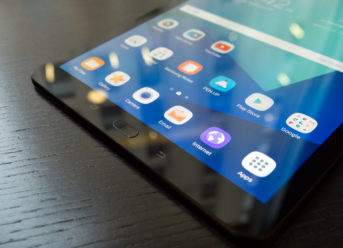
Samsung Galaxy Tab S4: Leaked Color Variants and Launch Date

With each passing day, we are getting closer and closer to the official launch of the new tablet developed by Samsung – Galaxy Tab S4. As usual, there are many leaks and gossips surrounding the upcoming device. Now, in addition to some of the specifications already rumored, we just learned more about the possible choice of colors of Tab S4 and its launch date.

The colors of Galaxy Tab S4 – nothing fancy this time

According to some recent rumors circulating the internet, Samsung Galaxy Tab S4 and another upcoming device, Galaxy Tab A 10.1 will be available in two colors: black and grey. This means that there is no change here compared to the last year. For now, Samsung prefers to keep it classic. Those users who would rather choose some fancy colors will have to wait at least one more year.

What we know about the specifications of Galaxy Tab S4

As we mentioned before, thanks to some recent leaks we already know certain technical details of the upcoming Galaxy Tab S4. When it comes to the operating system, the tablet will run Android 8.1 Oreo with preloaded Samsung Experience 9.5. Tab S4 will be powered by Snapdragon 835 SoC chipset, accompanied by 4GB of RAM. It was also reported that it will have 64 GB of internal storage. As for the design, the bezels will be slimmer, while the aspect ratio will be set at 16:10. We also need to mention an improved S-Pen that might come with some of the features of Galaxy Note’s stylus.

There will be two models available of Galaxy Tab S4 and Galaxy Tab A 10.1: Wi-Fi + LTE and Wi-Fi only. As for Tab A 10.1, we do not know much about its specifications, other than the display size of 10.1-inch, as its name suggests. It is rumored that this tablet might be launched as Galaxy Tab A2 XL.

Rumored launch date

There were some rumors saying that both tablets could be released before the end of July. However, at the moment it looks more likely that Galaxy Tab S4 and Galaxy Tab A 10.1 will make their debuts alongside the Gear S4 smartwatch at the Galaxy Note 9 Unpacked event on August 9.

Exit mobile version