Categories
Games News

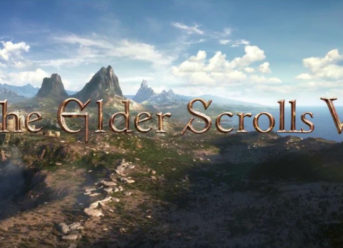
Elder Scrolls 6 Is Still Under Development After Experiencing Delays

Bethesda, the famous gaming studio, was involved in a lawsuit regarding a trademark. This process was reportedly postponing the work on the upcoming famous Elder Scrolls 6. However, the legal issues have been ultimately solved, and the game is now being developed as scheduled.

The lawsuit was filled because of an apparent copyright issue between the company and a book series regarding Bethesda’s plan to name its next game’s title ‘Redfall.’ The problem could have taken several years to solve, which implied that the game studio might have had to find a new name for the game or work it out somehow. They indeed worked things out, it seems. CriticalHit.net said in a report that the issue was most likely solved with some sort of payment to license the name to be used in the upcoming Elder Scrolls 6 title.

Elder Scrolls 6 Is Still Under Development After Experiencing Delays With A Trademark-Related Lawsuit

​Fans and internet users can hope for a few more insights on the game to be unveiled at the E3 2019. The event is only a few weeks away, and it is expected to be a great spectacle besides the Elder Scrolls. Talking about when fans can expect the next Elder Scrolls title to be released, the general opinion seems to be that it will happen before the launch of the next generation of consoles from Sony and Microsoft. And, of course, this is probably the least pleasant news about the game.

As the majority of gaming lovers know, the company behind The Elder Scrolls 6 is always registering its trademarks for its every game in the series. For instance, Oblivion, Morrowind, and Skyrim are all now Bethesda-registered trademarks. Lots of people have initially been thrilled to read about the Redfall trademark, having no idea that the title was a trilogy before ending up to be a probable title for the next Elder Scrolls game.


Categories
News Tech

Top 4 Best Antivirus Solutions – Bitdefender, WebRoot, Kaspersky, and Norton

Witnessing that many cyber attacks all over the world, it is now a sure thing that cybercrime is increasing year by year. The solution is to invest in a capable antivirus to defend your PCs and mobile devices as well. However, picking an antivirus solution is not that easy as many antiviruses are claiming to be the best on the market. We decided to bring to you the best four antivirus solutions that exist out there to make your job easier.

Top 4 Best Antivirus Solutions

Bitdefender

This software is our number one pick. Bitdefender has over 500 million users all over the world, and few of its features include real-time protection against malware, webcam privacy, minimal system performance hit, and a fantastic VPN. The software comes with ransomware protection, online banking protection, Wi-Fi security advisor, password manager, and so on. These protection options have numerous customization features.

There is also the Bitdefender Mobile Security, which comes with fantastic options to protect your mobile phone, while the Bitdefender Internet Security comes with significant security features to defend you online.

Webroot

Our number two pick is the Webroot antivirus solution. This software scans incredibly quick and offers you capable malware protection, steady firewall, all this at an affordable price. Webroot’s most essential features include real-time threats protection, anti-phishing, and firewall protection. The antivirus can efficiently identify all dangerous threats.

Kaspersky

Kaspersky is a titan in the antivirus solutions world as it gets continual excellence ranks from independent testing laboratories. This solution offers malware protection, anti-phishing protection, an on-screen keyboard which is excellent at hiding passwords from critical loggers, and also incredible customer support.

Kaspersky Internet Security and Kaspersky Total Security offer even more features such as the ability to secure more than one devices in a single account, privacy protection, online banking protection, password protection, file controls, and parenting controls.

Norton

This antivirus solution offers to protect an unlimited number of devices under the same account. The redone Norton 360 comes with features such as password manager, unrestricted VPN service, online backup software, webcam protection, Dark Web controlling, and the LifeLock Identity Protection software. Norton also comes with anti-phishing protection, spam protection, and malware protection.

Conclusion

All the mentioned antivirus software will be offering you excellent protection against all sorts of cyber threats. They all come with a free trial, and you can use it to see which one fits you the best if you still didn’t decide until now.

Categories
Games News

Pokemon Rumble Rush: How to Get the Game for Your PC

Pokemon Rumble Rush is that free game in which you have an important task to find new islands and different Pokemons in all the large areas. Whenever you tap the screen, your Pokemon will start a fight with the enemy Pokemon.

What are the features of Pokemon Rumble Rush?

The best part about this game is that you can befriend the Pokemon you just fought with. He can really become your friend, and it is actually quite easy. Also, when you discover brand new areas, you will have to deal with new bosses on every single island, and you will have to fight them. It is advisable that you also win.

Keep in mind that your pokemon becomes stronger and stronger after every battle with power gear. This means that it will also boost your Pokemon stars – but only for a limited amount of time. The game is free and you can play whenever, but it comes with in-game currency. The game Pokemon Rumble Rush was first released back in 2009. It’s still available, now for both Android and iOS.

How to download Pokemon Rumble Rush on PC

Many of you have asked about this matter. We are here to help you. First of all, you will need to find an emulator for your Windows. This thing also works for your Mac. You can make the most out of NOX player or Bluestacks

Make sure you get them from a safe source. After you have downloaded and installed your emulator, click on the search bar and write the name of the game: Pokemon Rumble Rush. When it appears on your list, click on it and download it. Now all that is left to do is to double click on the game and make the most out of it on your PC.

Categories
Games News Tech

How to Fix VidMate No Longer Working Problem

This post will show you how to fix VidMate “No longer working” problem on your smartphone/tablet.

The “no longer working” error is usually encountered on startup (of VidMate) or while downloading a video on the app. It occurs due to issues associated with your smartphone or the app itself. And these range from bug(s) attack (on the app) to system glitch to app update or internet connection issue.

In any case, follow this guide to fix the problem.

Fix: VidMate “No Longer Working” Problem

VidMate is one of the most essential third-party smartphone apps today, as it offers users the opportunity to download and watch online videos offline for free. However, there have been several complaints about the app crashing/freezing; prompting up the “no longer working” error-message in the process.

To fix this error, you can try the fixes below:

Fix 1: Force-close the App

This is the simplest troubleshooting method to fix this error. Simply do the following:

  • Click on the home button on your smartphone.
  • Close VidMate (or clear all running apps).
  • Disconnect internet/Wi-Fi.
  • After a few seconds, turn internet back on and relaunch VidMate.

If the error persists, you can try the next fix.

Fix 2: Restart Device

By restarting your smartphone/tablet, all temporary files are cleared off. Also, minor system glitches and bugs are fixed, and your device comes up refreshed.

After restart, connect back to the internet (Wi-Fi or mobile network) and launch VidMate. This should fix the “No longer working” problem.

If the problem persists, try the next.

Fix 3: Update or Reinstall VidMate

This error could be caused by a bug(s) on the app; hence, try and update VidMate to the latest version. However, you should note that VidMate is not certified fit by Google or Apple. So, if you are using an Android or iOS device, you can’t update the app from Play Store or App Store, as it’s not hosted on either of the sites.

To update VidMate, you’d have to give permission to your Android smartphone/tablet, by enabling the “Unknown sources” option; to “allow installation of apps from unknown sources”. Subsequently, go to the app’s official download site to install the latest version.

In addition, you can uninstall the app from your device and reinstall a new – updated – one afresh. This should fix the problem.

Hope you find this post helpful in fixing the Vidmate no longer working problem?

Categories
Games News Tech

How to Reduce Lag in Minecraft

Experiencing lag in Minecraft? This tutorial will show you how to reduce it.

Several Minecraft players have complained of experiencing various degrees of lags while playing the game. These lags, to a great extent, reduce the fun and excitement the online game offers, leaving gamers extremely frustrated.

The cause of this lag varies; it could be from your PC or more significantly, from the configuration of the game. In any case, we’ll be showing you some tweaks to reduce this lag.

How to Reduce Lag in Minecraft

Basically, a “lag” indicates slow response (of the system/server) to execute a given command. And while a number of reasons could be responsible for this, we’ll be looking at some of the most notorious ones vis-à-vis their respective workarounds.

  1. Check System Specs and Configuration

Minecraft is not your typical high-powered game, but it still requires a standard computer system to function properly. Hence, if you are experiencing lag in Minecraft, it could be that your computer is too old or its specs are too substandard to support the game.

For optimum performance, below are the standard system requirements of the game:

  • OS: Windows 7 (or newer)
  • RAM: 4GB
  • Hard Drive: 4GB (SSD/HDD)
  • GPU: GeForce 700 Series or AMD Radeon Rx 200 Series (with OpenGPL 4.5)
  • Processor (CPU): Intel Core i5 4690 3.5GHz

If your PC falls short of the above requirements, you are bound to experience some form of lag in Minecraft. And the ultimate solution here would be to upgrade your PC, as appropriate.

  1. Check Minecraft’s Configuration

If your system’s build is standard enough to support Minecraft, and you still experience lags, the problem is probably from the game’s configuration.

To reduce lag and improve performance, configure the game’s settings as follow:

  • Performance: Max FPS
  • Graphics: Fast
  • Particles: Minimal
  • GUI Scale: Automatic
  • Smooth Lighting: Off
  • Clouds: Off
  • Render Distance: Small or Tiny
  • Difficulty: Peaceful
  • Shaders: Disabled
  • Mod: Optifine
  • TNT & Redstone: Reduced Usage
  1. Other Methods

You can try some of the tips below to further reduce lag in Minecraft:

  • Allocate more RAM to the game
  • Reduce running apps and processes on your PC
  • Troublehoot internet connection
  • Scan and clear viruses/spywares/malwares.
  • Disable PC’s ‘Aero effects’.
  • And more.

Hope you find this post useful?

Exit mobile version