Categories
News Tech

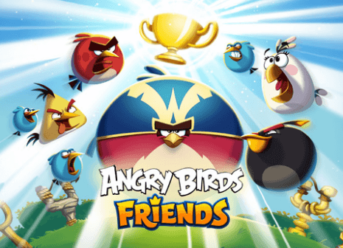
Angry Birds Friends 6.0.0 New Update Gets Released for Android, Windows Phone and PCs

Angry birds is a video game franchise created after the original video game, by Rovio Entertainment. The video game franchise was inspired by Crush the Castle, in where the colored birds are trying to save their eggs from the green pigs which are their enemies. The first game from the series was released in 2009 for iOS, and after that, the company has decided to bring the game to other operating systems such as Android, Symbian, Windows Phone, and PCs.

Angry Birds Friends 6.0.0

If you are a fan of the original Angry Birds video game, of course, you will like the new Angry Birds Friends 6.0.0, that comes with new six levels condensed into bite-size. Download the game and challenge your friends to take a spot on the global leagues, or challenge other players for a one-on-one at the Star Cup mode to earn rewards. What new features can we see in the new Angry Birds Friends 6.0.0? Let’s see!

Angry Birds Friends 6.0.0 Features

  • You will have three new tournaments every week, so it is impossible to miss one. Hit the play button and challenge your friends.
  • Each tournament will come with 12 new levels so that you will have a new challenge all the time.
  • The company is adding themed tournaments throughout the whole year.
  • Do you want more rewards? Get started and play for getting highs scores so you can climb in the league.
  • For maximum damage, you can now pump up your birds.
  • You can up your damage with individual blocks.

To sum up, Angry Birds is free to play, but if you want optional in-app purchases, they are available. You will always need an Internet connection, and some features can appear during the game. The new Angry Birds Friends 6.0.0 may include some direct links to websites that are taking the players away from the game, and also, you will see some of Rovio’s products or selected partners.
Categories
News Tech

Astounding Google Maps Features You May Not Know

Google Maps is a web mapping service developed by Google and launched in the beginning of 2005. Although there are many other navigation apps, most smartphone owners prefer Google Maps, according to data surveys.

The following are some very useful features that everyone can use

  1. Download maps to use offline

Travelling abroad or locally, to a remote area, you might not always be able to connect to Internet and this is when offline Google maps could come in handy. Press the 3 lines icon on top of the main menu and choose “offline maps” and afterwards “custom map.”

  1. Share your location with your friend

Sometimes you have to share your location so that your friends or family may know your approximate arrival time. After you choose your destination, click the “share trip progress” button and then choose the contact you want to share your location with.

  1. Add a stop to your trip

On the way to a destination sometimes you may have to stop for different tasks and activities. After starting the trip press on “search along route” and add your desired stop.

  1. See information about your route by using the “commute” tab

After clicking on the three lines icon on top of your screen , press “your places” and once you see the desired saved location tap the “commute” tab between the “explore” and “for you”.

  1. Change the time of your travel

If you would like to use public transportation sometimes could be quite beneficial to change the depart time by tapping “depart at “button above the transportation types.

  1. Record your favorite places

If you want to go back to that amazing restaurant or wonderful park and you are afraid you might forget their names, just choose “your places” and then tap the “saved” tab. After clicking on “favorites” press the “add” button.

  1. Drop a pin to show your friends where you are

Dropping a pin in Google Maps and sharing it to your friends in a crowded area can come in handy. Just press and hold your finger on the screen to drop the pin and after labeling it, share it.

  1. Book an Uber or Lyft ride

Below the transportation option there is another line with on-demand car services, just press the “open app” button to book your ride.

  1. Use of augmented reality

Latest update of Google Maps on Pixel devices allows users to see visual markers in the real work while looking through the camera’s viewfinder.

Categories
Games News

New Major Update for Brawl Stars – New Skins and Brawlers

Supercell has been playing a little with our patience, and from time to time, teasers have appeared for the famous multiplayer game Brawl Stars. Most of the talks have been on Twitter, and the new game mode has been teased as well. The teaser has been saying that a new brawler will join the club and Retroplis as well. But the wait has come to an end, so we can say at least that we have the update in question. The update for Brawl Stars it’s rolling out to all users, so let’s take a look at it.

Brawl Stars

Brawl Stars is a free multiplayer mobile game, an arena/fighter/party game, developed and published by Supercell, and released in 2018. The purpose of the game is to collect brawlers and use each one of them in the game. You can also join clubs to play with other players, or you can create your own club. In the game, you will have Brawl Boxes that contain loot chests, coins, brawlers, and Power Points. Each Brawler has a primary attack and a Super attack, and an unlockable passive ability. You have to bring down your opponents by shooting them and defeating them.

Latest Update for Brawl Stars

  1. The New Brawler – BIBI

As we have mentioned above, a new Brawler has been teased by Supercell in the last update of the game. The new Brawler’s name is BIBI, and it has three attacks. BIBI has a super attack called Spitball that uses a bouncing ball of bubble gum, and it can give damage to enemies when they are hit multiple times. Also, the main attack is the Three Strikes which knocks back her enemies when she has the Home Run bar charged. And the last one, BIBI’s star power is Home Run, which is increasing speed movement only when her Home Run is charged fully.

  1. The New Event – Retropolis

New update we have, a new event we receive. With the Retropolis event, you will receive new menu music, a unique neon style for the menu background, and new in-game music.

  1. New Skins

The new skins that come with this update are the Hot Rod Brock, the Road Rage Carl, the Bake Sale Barley, and the Maple Barley.

Balance Changes with the New Update

  1. Rosa – in this new update, Rosa is taking some changes such as the super duration that has been decreased from 4/0 seconds to 3/0 seconds. Also, its Star power has been reduced too, from 300 per seconds to 200 per seconds. For charging up Rosa fully, you need to give ten hits now instead of nine hits. The main attack will now match the area where the damage was done.
  2. Frank – good news for Frank, it’s buffed, and you can Super stun the Siege bar again, and you have the full duration.
  3. Carl- just like Frank, Carl has been buffed. Now you can pre-aim with his initial attack while using Carl’s Super. The cooldown time for the main attack is much shorter now.
  4. This last update can come without changes to the map. You will see that the map has been changed to match the Retropolis theme. Also, a reminder of the maps that have been added in the latest update – Gem Grab-Cross Cut, Heist-Pit Stop, and Side Story.
  5. Rosa has received a new voice cover.
  6. A new option in the game is the in-game mail. The Leaders & co-leaders can now mail to Club members.
  7. Supercell ID 2.0 will be added to the game next week.
Categories
Games News Tech

Fix: Candy Crush Saga Crash or Fails to Load Error on Android/iOS Device

Having difficulty playing Candy Crush on your Android/iOS device? Follow through this tutorial, as we bring you a set of solutions to fix the error.

Some Candy Crush gamers have reported the issue of recurring crashes while playing (or trying to play) the game on their smartphones and tablets. This occurs due to various reasons, ranging from out-of-date program/game (or device) or memory/RAM issues.

In any case, we’ll be showing you how to fix the error in this tutorial.

Fix: Candy Crush Saga Crash or Fails to Load Error on Android/iOS

Before trying any fix, ensure that your smartphone/tablet is standard enough to support the game; preferably Android 6.0 (or newer) or iOS 9 (or newer). Also, make sure that the version of the game on your device is up-to-date.

Solution 1: For Android

Try the solutions below and see if it fixes the “crash or fails to load” error.

  1. Play the game without Facebook

If you are finding it difficult to connect to Facebook before playing Candy Crush, try loading the game without Facebook. In the event that this fails, you can try the next fix.

  1. Troubleshoot Facebook connection

  • Go to Settings > Developer Options.
  • Locate and check the Don’t keep activities
  • Log in to your account, launch the game and start playing.

If this doesn’t work, try the next fix.

  1. Clean up Android and Reinstall Candy Crush

Remove redundant apps/files from your phone/tablet or simply back them up to the cloud or external media. Once there’s sufficient storage space, reinstall the game from Play Store.


Solution 2: For iOS

Try the following on your iPhone/iPad/iPod Touch:

  1. Force-connect to Facebook

iOS offers you the opportunity to grant permission to some apps, to use your Facebook account. And you can try this to fix the crashing/loading error.

  • Close program and navigate to Settings.
  • Find and click on Facebook.
  • Select Allow these apps to use my account.
  • Allow for Candy Crush (toggle On).
  • Launch the game and connect to Facebook.
  1. Clean Memory and Reinstall Candy Crush Saga

If the above procedure could not fix the error, try cleaning up your device’s memory or simply back up some files (to iCloud/iTunes) to free up storage space. You can then reinstall game.

Categories
Games News Tech

How to Bypass Countdown and Get New Lives & Levels on Candy Crush Saga (iOS Hack)

Candy Crush Saga offers gamers five lives per session, after which they’d have to wait for some time before getting another set of lifelines.

However, the wait often looks endless and annoying. Hence, to get you back on the spot, this tutorial will show you how to bypass the time countdown/waiting period to get new lives, as well as how to bypass the one-day waiting period to access Mystery Quest levels on iOS smartphones/tablets.

How to Bypass the Waiting Period to Get New Lives

Follow the steps below to get new lives immediately and start playing your game, after exhausting the 5-set lifelines on Candy Crush Saga:

  • Exhaust all five lives and close Candy Crush.
  • Navigate to Settings on your device.
  • Locate and click on General > Date & Time.
  • Locate Set Automatically and disable the option.
  • Click on the date (current).
  • Reset date/time; preferably one day ahead (4 hours should be enough).
  • Apply changes and exit Settings.
  • Launch Candy Crush Saga
  • Check for new lives: you should have 5 new lives.
  • Hold on; don’t rush to play.
  • Navigate back to Settings > Date & Time.
  • Reset the time back to automatic: enable Set Automatically.
  • Exit Settings and relaunch Candy Crush Saga.
  • Enjoy your new lives.

To play continuously, simply repeat this procedure after exhausting each set of five lives.

Also, to bypass the one-day waiting period and gain immediate access to the Mystery Quest levels, simply follow the above outlined steps, and you are all good!

So, what would happen if I start playing right away?

As pointed out earlier, erring gamers/players (with itchy fingers), who start playing the game immediately (without setting the time back to automatic), would be faced with a longer waiting period, after exhausting the new set of lifelines.

To resolve this, once you see the pop up message with the waiting time (in minutes), simply navigate to your device’s “Settings” and set the time forward (hours or days beyond the stipulated waiting period).

For instance, if the stipulated waiting period reads “5760” (4 days), you can reset your phone’s date & time to 5 days ahead. Subsequently, confirm new lives/levels and reset time to automatic. You can then enjoy your game unhindered.

Exit mobile version