Categories
News Tech

iPad Pro 2018 New Features and Possible Launch Date

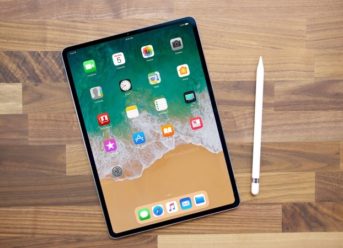
As we know by now, no details about iPad Pro models were provided during the WWDC 2018 event. While we have no news about Apple’s next tablets, we definitely had some hints given by the developers, so we can take a look at the information that we have so far.

Possible new features

As it has been the case for the past few years, the release of iOS 12’s beta version gives us some hints about the new features that could potentially be used on new iPad Pro. According to some sources, a new tablet could have a notch and an edge-to-edge display. Another addition could be Face ID, which might replace the Touch ID sensor.

Display

It seems unlikely that the panels of the two new tablets will be bigger than 10.5-inch and 12.9-inch, so maybe it is the time to improve the resolution, which currently stands at 2224 x 1668 and 2732 x 2048. Another possibility is a full 4K panel.

Processor and camera

It is expected that the new iPad Pro will be using an improved version of the A11 Bionic chip, which could be named A11X Bionic, while the hexa-core processor will be replaced by octa-core.

When it comes to the camera, it is likely that the new tablet will offer an upgrade compared to the 12MP rear and 7MP selfie camera of the last iPad Pro.

Price

We shouldn’t expect for the prices to be lowered compared to the already released models ($649/£619 for 10.5-inch and $799/£769 for 12.9-inch), the opposite is a real possibility, considering all new features that might be introduced on iPad Pro.

Possible launch date

Considering the fact that it’s been more than a year since the last version of iPad Pro was released, we can expect the launch of Apple’s new tablets at any point in 2018. With the next iPhone launch scheduled for September, there is a chance that Apple will want to unveil its new iPad Pro hardware during this event.

Apple Pencil 2

In addition to iPad Pro 2018, we should also see the arrival of Apple Pencil 2, an advanced pressure-sensitive stylus. Amongst its innovations we might see an eraser and a new tip, while it should also be easier to attach it to the iPad.

Categories
News Tech

How to Manually Update Adobe Flash Player on Mac

Flash is slowly but surely being replaced by newer technologies such as HTML5. However, this doesn’t mean that Flash is not needed anymore. The classic plug-in is still required to view online content because most of the web is still using it. On the downside of things, Apple stopped installing Flash on macOS by default a couple of years ago and Mac owners need to install it manually if they don’t want restrictions when watching online content.

Flash on MacOS

Even though MacOS doesn’t come with Flash installed by default, Apple fans should be happy to know that installing it is not that complicated. Mac owners who are using devices that run on macOS X 10.8 and 10.9 can simply open Safari and head over to the Preferences tab. From there, click on Security and select “Enable JavaScript” and “Allow Plug-Ins”. All that’s left now is to click on “Manage Website Settings”, select “Adobe Flash Player” and choose “Allow”.

Getting Updates

Flash usually updates itself, but Mac owners who don’t like that can simply disable the feature and download all updates manually. The reason why Mac owners might want to do this is because they can avoid using internet data when unnecessary and getting unrequired updates.

With that being said, let’s see how Mac owners who have installed Flash on their device can update the plug-in.

  • Open the “Dock” or “Application” folder and then click on “System Preferences”;
  • Now select the “Flash Player” icon and click on it;
  • Head over to the “Updates” panel;
  • Select the “Check Now” option;
  • All that’s left is to follow the prompts.

Flash will automatically provide users with step-by-step prompts whenever a new update becomes available so that anyone can download it, even people who are not that tech savvy.

Categories
News Tech

Samsung Galaxy Tab S4 and Gear S4 Release Date on August 31th

With the upcoming Samsung Galaxy Note 9 launch event on August 9, many users were expecting to see not one, but three new devices unveiled. However, according to the newest update, Samsung Galaxy Tab S4 and Gear S4 will not be launched at the same time as Galaxy Note 9.

August 31st as the earliest launch date

The new expected debut for both Galaxy Tab S4 and Gear S4 was announced via Twitter by SamsungMobile.News. The tweet states that most probably the launch will take place during the IFA event in Berlin, which is scheduled to start on August 31st.

Samsung Galaxy Tab S4

The Korean company is currently developing a new tablet. According to available reports, Galaxy Tab S4 will run the Android 8.1.0 Oreo operating system. This tablet will be equipped with a Qualcomm Snapdragon 835 1.90 GHz octa-core processor, while having 4GB of RAM. Galaxy Tab S4 will have a 10.5 inch QHD display with an aspect ratio of 8:5 and a screen resolution of 2560 x 1600 pixels. When it comes to the camera, this tablet will have two of them: the front one with 8MP and 12MP with flash on the back.

Samsung Gear S4

Talking about the new smartwatch developed by Samsung, it is important to mention that most probably it will use a new operating system. According to Evan Blass, who is regarded as a reliable leaker, Gear S4 will be based on Wear OS, therefore replacing Tizen. Another notable improvement will be the battery: compared to the 380mAh battery of Gear S3, the new capacity will be 470mAh.

It looks like the earliest launch date of Galaxy Tab S4 and Gear S4 will be August 31st. However, judging by the leaks, these two devices might be well worth of such a long wait.

Categories
Tech

How to Download and Install Vidmate on Windows Phone

Vidmate is an online video downloader app that is ideal for people who never want to get bored anymore. Vidmate gives users the ability to download videos that they find interesting and then watch them while offline in situations such as when commuting to work or school. Nonetheless, Vidmate is renowned in the Android community for the features that it has to offer, but the app can also be installed on Windows powered smartphones.

Downloading Vidmate on Windows Phones

The first thing that Windows smartphone owners need to do is to head over to the Windows Store. From there, access the search feature and type in “Vidmate Application”. All that’s left now is to download the app and install it on the designated smartphone. Now that we cleared how to install Vidmate, let’s go over some of the app’s key features.

Downloading Online Videos

The most important feature that Vidmate offers is the ability to download videos from all types of online streaming platforms. Therefore, Vidmate offers an endless source of entertainment and it’s impossible for Vidmate users to run out of interesting content to watch.

One of the best things about downloading videos with Vidmate is that everyone can do it! The app is equipped with an intuitive UI that makes it easy for users to download any video they want. The only thing that users need to do is to copy/paste the URL link of the desired video in the app’s UI.

Free Music

Even though Vidmate is mainly used to download online videos, the app can also provide users with free music. Vidmate ships with a pre-installed MP3 converter and this can be used to transform music videos into simple MP3 tracks. With that being said, Vidmate allows users to expand their music library without having to pay a dime.

Categories
News Tech

Electra iOS 11.3.1 Jailbreak Public Release Coming

As Apple is getting closer to launching iOS 12 to the general public, the hacker known as CoolStar is adding the finishing touches to a new iOS 11.3.1 jailbreak. The hacker managed to successful jailbreak iOS 11.3.1, but he still needs to patch some bugs before releasing it for everyone to download. On the bright side of things, CoolStar keeps jailbreak fans updated with the latest news and it looks like the jailbreak tool will arrive sooner than expected.

Electra iOS 11.3.1 Jailbreak

The latest news from CoolStar are showing that the hacker is planning to launch the highly anticipated Electra iOS 11.3.1 Jailbreak straight to public release. This means that there won’t be a beta or developer version of the tool and that jailbreak fans will be able to install a fully functional Cydia right from the start.

Three Copies of the Tool

Currently, there are three copies of Electra iOS 11.3.1. However, CoolStar said that he doesn’t feel like launching the beta and developer versions is worth it and he will only launch the final version. In addition, CoolStar is advising iPhone owners to switch to iOS 11.1.2 until then.

Cydia is Running Successfully

We should also mention that a team member of Electra known as “nullpixel” recently shared a couple of screenshots that showed Cydia running on iOS 11.3.1. The screenshots were accompanied by the following message: “This feels really good! @coolstarorg good work on the bug, @Pwn20wnd great cli to exploit”.

Nullpixel said that the reason why the public version of Electra iOS 11.3.1 is not released already is because the hackers are waiting on a rootFS remount that will be delivered by Jonathan Levin. We don’t know when Jonathan Levin will finish the rootFS remount, but we will keep readers updates as soon as that happens!

Exit mobile version