Categories
Tech

WhatsApp Business 2.18.172 For Android Comes Out Today With Several New Features

WhatsApp Messenger is the most popular instant messaging app of the moment. While the WhatsApp Messenger variant is the most appreciated and widespread one, the WhatsApp Business version is more appropriate for businesses. Now, WhatsApp Business 2.18.172 for Android comes out today with several new features.

For all those companies who would like to have a business presence on WhatsApp, WhatsApp Business is the variant they have to choose to keep in touch with the customers. With an appearance on WhatsApp, which the most popular instant messaging app of the moment, firm owners can help their business grow and offer customer support to their clients in a much more straightforward manner.

Also, if you have a dual-SIM phone, and use both your personal number and your business number in the same device, you can install both WhatsApp Messenger and WhatsApp Business variant on the same smartphone without them conflicting with each other.

WhatsApp Business 2.18.172 For Android Comes Out Today With Several New Features

With WhatsApp Business, you can create your business profile on WhatsApp to help your customers find your company easier, set up business management tools, including quick answers to inform your clients when you’re away, or you can connect WhatsApp Business to WhatsApp Web to reply to your clients right from your computer when you work.

The new WhatsApp Business 2.18.172 for Android comes out with the following new features, according to the official release note:

  • You can now filter chat lists to quickly find chats based on labels or whether they are read or unread;
  • New features on WhatsApp Web allows you to view label indicators and filter by tags using the chat list filtering icon when using WhatsApp Web. Filtering by unread messages, groups, and broadcast lists aren’t supported on WhatsApp Web, however;
  • Share short links for your business profile on WhatsApp. Create and share short links that make it easy for customers to contact your business;
Categories
Tech

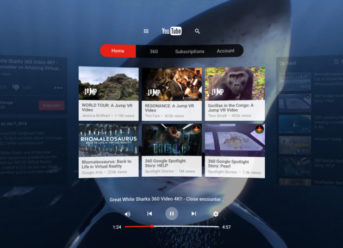
YouTube VR (Daydream) 1.15.57 for Android Is Now Available

Virtual reality became a quite popular technology nowadays, even though it is still under development to make it better and more accessible to users worldwide. Now, you can experience your favorite YouTube channels and videos from your favorite content creators in virtual reality, thanks to YouTube VR. Today, YoutTube VR (Daydream) 1.15.57 for Android came out with several improvements.

YouTube VR is an app that transforms any video on the renowned Google’s video streaming platform into a virtual reality experience and reimagines YouTube platform as a 3D environment you can experience from the inside.

According to the official YouTube VR app’s release note, YouTube VR lets you:

  • Explore all the videos on YouTube in virtual reality, supporting everything from 3D, 360 videos to standard rectangular videos;
  • Connect with YouTube VR to get a full experience that permits you to view your subscriptions, playlists, watch history, and so on;
  • Choose to watch the videos along with others, discuss what you see with your friends live, and enjoy a shared experience all in the same virtual room;

YouTube VR (Daydream) 1.15.57 for Android Is Now Available

YouTube VR is obviously an excellent app for the fans of virtual reality as it allows users to immerse in the universe of 360-degree videos to be in the center of the action. In order to boost the VR experience, the YouTube virtual reality app also comes with spatial audio in which the distance and depth play a significant role in what and how you hear the sound in your VR headset, depending on where you look.

YouTube VR for Android also comes with support for voice commands, so turning on your microphone would be ideal for easing up your browsing experience within the app. Also, you can use a keyboard to fulfill the searches.

YouTube VR (Daydream) 1.15.57 for Android is now available with several stability improvements and bug fixes to enhance the user experience within the app.

Categories
Games News

Red Dead Redemption 2 Surpassed 17 Million Copies Sold In Its First Week

Take Two has announced that Red Dead Redemption 2 surpassed 17 million copies distributed worldwide. That means that the recently released title of the famous franchise, created by Rockstar Games and launched for PS4 and Xbox One, is a great success.

It was clear that Red Dead Redemption 2 was going to be a success as it was one of the most sought-after and promising video games of the year and its sales figures confirm that. Take Two released the news to its investors announcing that Red Dead Redemption 2 has already surpassed 17 million units distributed worldwide.

That is a significant milestone considering that the title developed by Rockstar Games has only been on the market for two weeks.

Red Dead Redemption 2 Surpassed 17 Million Copies Sold In Its First Week

These figures are significant since they suppose that Red Dead Redemption 2 has managed to sell in only eight days in the market more than the first Red Dead Redemption in 8 years. One more sample of how much Rockstar Games has grown as a global brand and the excellent work of the company in developing this title for PS4 and Xbox One.

Also, the 17 million copies distributed of Red Dead Redemption 2 these days also make the title the world’s largest launch of generalized entertainment as it has surpassed the $725 million raised in its first weekend on the market.

But if you want to understand the keys to the success of this adventure better, you should know that Red Dead Redemption 2 is set in an open world, in Wild West, and follows a story that’s chronologically before the events in the first title of the series. In addition to all that, you should also remember that a Red Dead Redemption Online variant is in the works, while a PC version might also come out but we don’t have an approximative date on that.

Categories
Tech

Gmail Vs. Outlook – Which Is The Best For Business and Personal Use?

Which is the best email service for both business and personal use? That’s a tough question nowadays, as there are lots of email services on the Internet. While many opt for the most popular ones, such as Yahoo, Gmail, or Outlook, there are also others who prefer less known email clients. Given the enormous amount of time that we spend each working day sending, reading, and replying to emails, having the right email client is essential for you to be as productive as possible. Today, we’ll compare Google’s Gmail and Microsoft’s Outlook.

Gmail Vs. Outlook – GUI

Aesthetically, both Gmail and Outlook have a clean interface, which differs in the default color themes – Gmail comes in white and red and Outlook in blue.

Outlook follows the style of the Windows modern user interface, also known as the Metro user interface, while, until recently, Gmail was considered the “ugliest” of the two. However, a recent redesign of Gmail has dramatically improved its aesthetics and user experience, with a look much more in line with Outlook.

Gmail Vs. Outlook – Folders, Tags, and Searches

The critical thing Gmail did to differentiate itself from the competition was to have labels instead of folders. That means that messages could be tagged with multiple keywords instead of being placed in a specific folder. Most people still believe that Gmail, having labels, doesn’t have folders, which isn’t strictly true. In some email clients, Gmail comes with folders instead of labels.

Outlook, on the other hand, comes with the more traditional folders in comparison with Gmail’s labels.

Gmail Vs. Outlook – Connectivity and Storage

Gmail supports both POP and IMAP, which means that virtually any email clients on most operating systems will work seamlessly with this email service, and even Microsoft Outlook will work correctly with it.

Outlook is also compatible with both POP and IMAP, although in the past, some complaints referring to connectivity problems and lack of compatibility with IMAP, have emerged on forums. Outlook also supports Microsoft ActiveSync.

Gmail offers 15 GB of free storage, but this counts on Gmail and Google Drive. You can buy more storage, anyway. Microsoft, on the other hand, also offers users 15 GB of free storage per Outlook account but if you have an Office 365 subscription, you’ll get 1 TB of storage to cover all Microsoft products, for example.

Gmail Vs. Outlook – Managing Spam, Filters, and Emails

Spam filtering in Gmail works effectively. It only allows one or two spam emails per year, so it’s efficiency is the highest among the email services.  It’s also excellent for filtering out unwanted emails that are not quite spam emails.

Outlooks email and spam filtering are less sophisticated, and much of the filtering has to be done manually. However, it has some features that put it ahead of Gmail. For example, Outlook has the sweep function which helps users get rid of all emails, all from ten days ago or keep the last of a particular sender or block future emails from a sender.

Categories
Tech

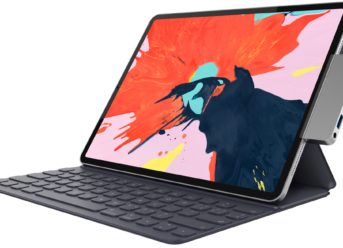
Hyper Presented The First USB-C Hub For The New iPad Pro 2018 Models

Both iPad Pro 2018 variants now use a USB-C port instead of a Lightning port for the first time in the series’ lifespan. The accessory manufacturer HYPER has just announced one of the first USB-C hub attachments specially developed for the iPad Pro 2018 models.

The hub was introduced as the HyperDrive for iPad Pro 2018. This USB-C hub plugs into the iPad Pro’s only USB-C port and expands to a wide array of ports, all in a pocket-sized accessory. Before you go any further, please notice that we have not yet checked this product, physically.

This USB-C hub for iPad Pro 2018 has the following ports: HDMI, 3.5 mm jack, SD, micro SD, USB-A 3.0, USB-C Power Delivery. The latter will allow the iPad Pro 2018 models to easily be plugged into your wall outlet using the USB-C power cord while the other ports remain usable. The SD and micro SD ports provide the user with the possibility to extend the device’s storage far beyond the iPad’s built-in internal capacity.

Hyper Presented The First USB-C Hub For The New iPad Pro 2018 Models

With the USB-A 3.0 port, the end-user can plug in a keyboard, microphone or Ethernet adaptor. Alternatively, you can also connect a USB cable from a DSLR camera to display photos on your iPad Pro 2018 models. You can also attach a Lightning cable to charge your iPhone, for example, while it would also permit you to connect external storage, but only to access photos and videos.

The HYPER USB-C hub for the iPad Pro 2018 models would probably work with other devices with a USB-C port. Although it is not unique, its design is ideal for the new iPad Pro 2018 models. Indeed, Hyper has just become the first company to promote its USB-C hub as being specially designed for the iPad Pro 2018 models.

The HYPER USB-C hub for the iPad Pro 2018 models come in silver and grey color schemes and work with both with 11- and 12.9-inch models of Apple’s new tablet. The hub will be available from December at a price of $99.99.

Exit mobile version