Categories
Games News

Candy Crush Friends Saga 1.13.5 Is Available To Download For Android With Fixes and Improvements

King may have released Candy Crush Saga more than seven years ago but the popular match-three juggernaut has remained popular even today. Fans from all over the world continue to play the title, and several spin-off versions were released by the studio in recent years. Candy Crush Friends Saga is the latest title, and it manages to keep things fresh by adding new twists to the popular formula. Below you can find some of the features offered by the game. Now, Candy Crush Friends Saga 1.13.5 rolled out with bug fixes and several improvements.

Candy Crush Friends Saga Features

  • A fresh experience – The latest entry in the award-winning Candy Crush Franchise comes with spectacular graphics, which look sweeter than ever in 3D.
  • An exciting story – Your beloved friends were spread across the massive Candy Kingdom. Join the adventure and track them down. Harness their unique powers to assemble incredible combos and destroy those blockers in a flash!
  • Fun progression system – Tackle the challenging puzzles and collect candies and to unlock awesome rewards, including new friends and beautiful outfits. More candy means more power, allowing players to impact the game board noticeably.
  • Tasty treats – A new experience should come with some new treats. Cookies, jam, and chocolate await you alongside new game modes and fan-favorite game modes.
  • Busy for a long time – Countless levels await you, and fresh ones are added regularly to make the experience even better.
  • Funny Dances – Yeti and the other friends will dance when you win, keeping you entertained and providing some extra motivation when a level is particularly challenging.
  • New game modes – Test your skill with the help of the new game modes! More will be added in the future.
  • Play anywhere – The game can be played even when you are offline, and your progress will be saved and synchronized across all your devices.
  • Rush for the high score – Play alone or with your friends and show them your skills by conquering the leaderboards.

What’s New In Candy Crush Friends Saga 1.13.5?

The latest version, Candy Crush Friends Saga 1.13.5, comes with bugs fixes which should make the experience even more enjoyable. Also, King implemented some performance and stability improvements. Here’s what the official release notes read:

“In Candy Crush Friends Saga, match Candies and collect costumes with all your favorite characters from the Candy Kingdom! We’ve made things even sweeter with improvements and bug fixes. Enjoy!”

You can already download the new Candy Crush Friends Saga 1.13.5 from the Google Play Store or as an APK file if you prefer that variant.


Categories
News Tech

Best 5 Apps that Will Help to Improve Your Learning

Introduction

According to research, the greatest challenges that students have to overcome in order to succeed in their academic endeavors are represented in an inability to organize time, procrastination, and ineffective note-taking. Learning is a complex process, it includes multiple aspects of our psycho-somatic activity, including visualization, information processing, filtering, memorizing, and while the lectures all the same for all of us, it’s not possible to expect that everyone has the same learning abilities. Therefore, we have decided to introduce five apps that will allow you to jump any obstacle that gets on your way to knowledge.

Coursera

Think of this app as if it were a digital classroom, with more than a thousand different courses you can take. The spectrum of disciplines you can enjoy in spreads to anything from music to literature, mathematics, chemistry, astronomy, sociology, and a series of other pools of knowledge, just waiting for you to soak in the wisdom. What’s important to understand is that Coursera uses gamification, which is an app design technique that allows the user a more relaxed learning environment. As you enjoy a quiz-like experience, your brain is processing information.

Kindle

Amazon’s digital bookstore allows you to find all sorts of useful information, that you can use in order to accomplish your educational tasks. There are volumes of various tutorials, textbooks, and textual content that can mean the world of difference when you need essay help in the middle of the night and there’s no open library in sight.

Unlike books, Kindle sacrifices pixels instead of trees; therefore, it’s also an environmentally friendly solution for research material on many topics. All you have to do is create your account, buy a book that you require and download it on your device.

Duolingo

Learning a foreign language is more than just your academic requirement, it also puts a useful skill in your developing skillset that you can use to make a living one day. However, languages are closely related to our hearing, vocal abilities, and linguistic heritage, as some nations speak languages that provide the native speaker to adopt foreign words easier and pronounce words better.

Duolingo is an app that provides you with numerous courses with scaling levels of difficulty, design in such a way that makes the learning experience seamless. According to a study performed back in 2012, spending 34 hours learning with Duolingo equals a semester in school.

Photomath

Math is all about practice; you take an equation, solve it, then change the variables and solve it again. This sounds simple, but to many of us, the math simply makes less sense than it does to other people. Photomath is an app that utilizes your camera to capture the handwritten of a printed math assignment and solve it for you. However, the key is that you get a step by step procedure, explaining how the app reached the final result. It’s a great way to understand how and why you go through certain steps when solving an equation.

Timetable

According to research, the inability to stay focused and poor time management skills are the main reason why students miss out on delivering their work before the deadline, forget their appointments, or miss classes. Nevertheless, Google has equipped us with a useful free app that we can download for free and use for the same “price”. This small but powerful piece of software allows you to enter your obligations, create learning and class schedule, memorize important dates, and the app will sync the information with all your devices connected to the Google account you use. The app will also silent your ringtone during classes, and send notifications to remind you of deadlines, homework, and other commitments you inserted over time.

Conclusion

The technology is already present in classrooms all across the globe, and in all other aspects of our lives. There is no need to run away from software that can make our lives easier and help us learn more, faster, and better. We hope these apps will become a valuable asset in your intellectual development and help you achieve great things one day. Who knows, perhaps a lesson with Duolingo helps you find the love of your life in some exotic country.

Author bio:

Emma Rundle is a highly experienced and talented freelance content writer. Her writing mostly includes such stories that help students with their scholar activities, learning issues, and technological advancements in the field of education. Emma’s work reflects her own vision of the world, and she tries to deliver a clear picture of that vision to her vast audience.

Information source:

http://static.duolingo.com/s3/DuolingoReport_Final.pdf

https://en.wikipedia.org/wiki/Gamification

Image sources:

Img1: https://www.pexels.com/photo/man-using-ballpoint-pen-374820/

Img2: https://www.pexels.com/photo/selective-focus-photo-of-man-using-laptop-1438081/

Categories
Games News

Clash of Clans Issues And How To Fix The Most Common of Them

Supercell is renowned for its ability to create fan-favorite games. Among them, there are Clash Royale, Clash of Clans, and the more recent Brawl Stars as the company’s “greatest hits” in the world of mobile gaming. While Supercell is also paying a lot of attention to releasing updates and patches that add new content and fix bugs, there are still some errors that pass through to final versions of the games. Today, we’ll talk about Clash of Clans issues and how to fix the most common of them.

Clash of Clans, which launched in 2012, remains one of the most-played mobile games ever, and it’s still a significant source of revenue for Supercell. Even though the game frequently receives updates for new content, game modes, or to fix some bugs, there are still some Clash of Clans issues that annoy some players.

How to fix the most common Clash of Clans issues

Clash of Clans is not automatically installing updates

This error is still a widespread one among Clash of Clans players. Apparently, it’s due to an in-game bug, but, luckily, there is a simple solution to fix it. All you have to do is to force close the game and other apps that might run in the background, and then restart Clash of Clans.

In case that did not fix the issue, then go to Google Play Store and manually update Clash of Clans.

The game won’t load on your iOS device

Recently, Supercell decided to bring Clash of Clans to the next level, so users of iOS devices with an old operating system won’t be able to run the latest versions of the game. To play the new Clash of Clans updates on your iPhone or iPad, make sure that your devices are running iOS 9.0 or higher.

Clash of Clans is not loading on your Android devices

Sometimes, Clash of Clans is not loading on Android devices without any apparent reason. If you’ve played the game on your smartphone and tablet and, out of the blue, Clash of Clans stops loading when you open the app, then a corrupted cache might be the cause.

That is also one of the most common Clash of Clans issues, and to fix it, you have to go to Settings -> Apps -> Clash of Clans and tap on Clear Cache. Clearing the cache can also fix a whole bunch of other errors, crashes, and freezes in Clash of Clans.

Categories
Games News

Pokemon Sword and Shield Might Be Compatible With Pokemon GO

Pokemon GO is a mobile game developed and released by Niantic, available for Android and iOS. It was launched in 2016, gaining popularity extremely fast. By the end of 2016, Pokemon GO had been downloaded more than 500 million times by users all around the world. Pokemon Sword and Shield is one of the most expected releases of the year, having been officially announced on Pokemon Day, February 27, 2019, during a Nintendo Direct announcement.

At 2017’s E3 conference, Tsunekazu Ishihara, president and CEO of The Pokemon Company, announced their next game series would be released on Nintendo Switch, but no more information was divulged at the time.

Game Freak is the leading developer of Pokemon games for Nintendo, which also develops Pokemon Sword and Shield for Nintendo Switch. Rumors say the developer is planning to make Pokemon GO compatible with the newest release of the franchise.

Pokemon Sword and Shield Might Be Compatible With Pokemon GO

A Pokemon GO dataminer, Chrales, found evidence to back up the rumors of the potential compatibility between Pokemon Sword and Shield and Pokemon GO. Chrales discovered that while looking through the game’s code of the latest Pokemon GO 0.143.0. He came upon a new string referred to as “koala_settings,” which seem to be made for a separate app. The source says the name “koala.”

Chrales believes that “koala” might be the codename internally used to refer to Pokemon Sword and Shield. We already know Game Freak has a habit of matching each game with an animal or natural element, so the theory seems plausible. For example, Game Freak’s previous release, Pokemon Let’s Go, Pikachu! & Let’s Go, Eevee, went by the codename “beluga.”

None of the two developer companies made any official announcement yet, so the rumors that Pokemon Sword and Shield would be compatible with Pokemon GO should be taken with a grain of salt. However, we hope they are correct, as the possibility to connect Niantic’s augmented reality mobile game to Game Freak’s newest console game sounds extremely exciting.

Categories
News Tech

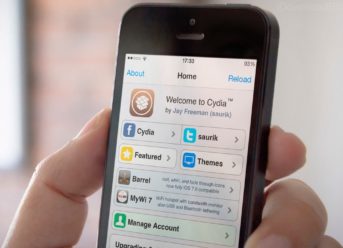
How to Jailbreak your iPhone or iPad on iOS​ using Chimera

Chimera 1.0.5 update has been released by The Electra Team with the goal to repair a Mail send glitch and Camera bug for A12 devices.

If you think of jailbreaking your iPhone device on iOS 12.0 – iOS 12.1.2 you can do it following the below steps. To jailbreak your device you will only need Chimera and a Windows PC.

This jailbreak operates with all A12 devices, which includes the iPhone XR, iPhone XS, and the most recent iPads.

Let’s begin!

Step #1 – Ensure to backup your iPhone/iPad on iCloud or iTunes before performing the jailbreak.

Step #​2 – Download the newest beta versions of Chimera jailbreak, also Cydia Impactor on your computer.

Step #​3 – Right click on the ‘Impactor’ zip and extract the archive

Step #​4 – Double click on ‘Impactor.exe’ from the extracted directory. Do not run as Administrator. If asked to validate, click on ‘Run’.

Step #​5 – Connect your iPhone/iPad to your computer with a USB. Ensure to click on ‘Trust’ if it appears on your device, and ‘Continue’ if asked by iTunes.

Drag and drop the Chimera IPA you earlier got into the Cydia Impactor application.

Step #​6 – A window will appear, asking you to enter your Apple ID and the password. This is only utilized to sign the IPA by allowing it to operate on your device

Step #​7 – Cydia Impactor will sign the IPA and automatically install the Chimera jailbreak app on your iPhone/iPad.

Step #​8 – Open the ‘Settings’ app from the ‘SpringBoard’ and click on ‘General’. Tap to launch ‘iPhone Storage’ from the ‘General’ menu.

If it exists, choose the iOS software update from the index and then click on ‘Delete Update’. When prompting, tap on the large ‘Delete Update’ button.

Step #​9 – Go back to the General menu by clicking on ‘General’ at the upper left side of the screen. Tap on ‘Device Management’ from the menu and then select your Apple ID.

Tap on the ‘Trust “youremail@address.com”‘ button and select ‘ Trust’ from the alert that shows up.

Step #​10 – Swipe up from the lower side of the screen or down from the upper right side to make ‘Control Center’ appear and enable ‘Airplane mode’

Step #​11 – Press on the ‘Power’ button (Power button and Volume up for the iPhone X) and move the slider to shut down your device. Wait a few seconds, then press the ‘Power’ button to restart your phone/iPad.

Step #​12 – Make sure the Airplane mode is enabled, then open the Chimera app on your ‘SpringBoard’.

Step #​13 – Click on the ‘Jailbreak’ option to start the jailbreak operation

Step #​14 – A notification will appear informing you that a reboot is necessary. Tap the ‘OK’ tab to reboot your iPhone/iPad

Step #​15 – Your device will reboot, and once the process is finished, launch the Chimera ap again and tap the ‘Jailbreak’ tab again

Step #​16 – Chimera will restart the SpringBoard, and Sileo will appear.

Please note that this is a semi-tethered jailbreak so it will require to open Chimera app and click on ‘Jailbreak’ every time you reboot your device. Also, if you don’t have a developer account on Chimera you will have to re-sideload the app continuously after seven days. And finally, you should know that Sileo utilizes Substitute and not Cydia Substrate.

Exit mobile version